Understand Any Image with a Comprehensive Visual Summary
Upload any photo, artwork, or infographic and get a scene description, key elements, colour palette, mood, composition, and context insights.
Summarize a Picture
AI Picture Summarizer
Upload any image and get a comprehensive visual summary covering scene description, key elements, colour palette, composition analysis, mood, and context insights.
Upload a Picture
Supports JPG, PNG, WEBP, GIF. Works with photos, illustrations, artwork, infographics, and screenshots.
or drag and drop an image here
Results
AI Picture Summarizer
AI Picture Summarizer
Upload a photo on the left and click analyse to see the results.
- Full scene summary in plain language
- Key visual elements with positions and details
- Colour palette with descriptive names and mood analysis
- Composition and lighting breakdown
- Context insights: setting, purpose, and suggested use cases
- Works with photos, illustrations, artwork, and infographics

Every Detail — Colour, Composition, and Mood
A picture summary is more than a description of what is in the image. The AI identifies the dominant and accent colours by descriptive name — not just "blue" but "deep slate blue with a hint of teal" — and explains how the palette creates the emotional tone. It breaks down the composition technique (rule of thirds, symmetry, leading lines, negative space, frame within a frame), identifies the focal point and what draws the eye to it, and assesses depth of field and lighting quality. This level of detail is what separates a meaningful analysis from a basic label.
Analyze a Picture Now
Context Insights Beyond the Obvious
The AI surfaces the details that a first glance misses: the unusual element in the background, the subtle detail in the lighting, the secondary figure that frames the composition. The Context and Insights section identifies the apparent purpose of the image (editorial, social media, product marketing, documentation, personal memory, artistic expression) and suggests where it could be most effectively used. For teams managing large image libraries, this contextual layer makes images far easier to find, categorise, and repurpose.
See What the AI Finds
Works with Every Image Type
Photographs, digital illustrations, oil paintings, watercolours, technical diagrams, data infographics, product shots on white backgrounds, social media graphics, architectural renders, and screenshots — the AI adapts its analysis to the type of image. For artwork, it identifies the apparent medium and style. For infographics, it describes the data layout and visual hierarchy. For product photography, it assesses the background, lighting setup, and composition for commercial effectiveness. One tool for every image in your library.
Try Any Image TypeHow to Summarize a Picture
Upload Any Image
Upload a photo, illustration, artwork, infographic, screenshot, or any image type. JPG, PNG, WEBP, and GIF are supported.
AI Analyses the Image
The AI examines the scene, elements, colours, composition, lighting, mood, and context — producing a structured multi-section analysis.
Get Your Visual Summary
Receive a comprehensive breakdown: scene summary, key elements, colour palette, composition and lighting, context insights, and suggested use cases. Copy or share any section.
Who Uses It

Content Creators and Social Media Managers
Understand the mood, composition, and visual appeal of images before publishing. Use the colour palette analysis to check brand consistency. Use the composition and focal point analysis to predict which images will perform better. Use the suggested use cases to repurpose existing images across platforms — a single image might work as a blog header, a social media post, and a newsletter graphic.

Designers and Creative Teams
Get a structured breakdown of an image's composition, colour harmony, and lighting to inform design decisions. Use the colour palette analysis to extract palette ideas. Use the composition notes to understand why a reference image works and apply the same principles to new work. Use the detailed element list to brief illustrators and photographers on exactly what you want to recreate or adapt.

Researchers and Educators
Produce structured descriptions of images for academic papers, presentations, and educational materials. The detailed element list is suitable for use as alt-text for accessibility. The context and setting analysis is useful for visual culture research, media studies, and art history. For educators, the composition and lighting breakdown can illustrate photography and design principles with real-world examples.

Product and E-commerce Teams
Assess product photography for commercial effectiveness. The composition and lighting analysis identifies whether the product is the clear focal point, whether the background is clean and consistent, and whether the lighting creates the right mood for the category. The suggested use cases section recommends which images are best suited for product pages, marketplaces, social ads, and email campaigns.
Deep Dive
What the Analysis Covers
The AI Picture Summarizer goes beyond a basic description. Each analysis is broken into structured sections that cover every meaningful dimension of the image.
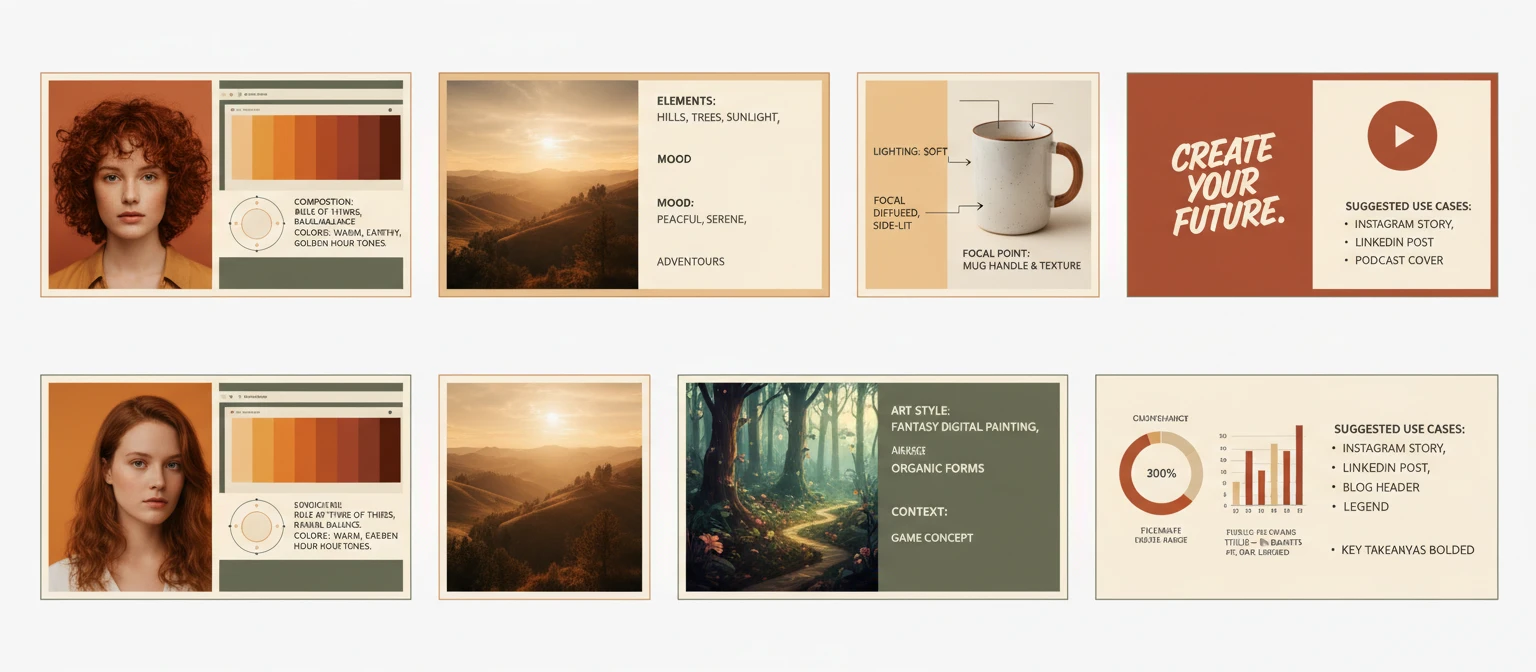
Note: The AI analyses visual content and provides structured interpretation. Results are most accurate for clear, well-composed images. Very abstract, highly stylised, or low-quality images may yield more generalised analysis.
Why Use It
Every Image Type
Photos, illustrations, artwork, infographics, product shots, screenshots — the AI adapts its analysis to the type of image.
Colour Palette Analysis
Colours identified by descriptive name, palette type classified, and an explanation of how the palette contributes to the emotional tone.
Composition Breakdown
Compositional technique, focal point, depth of field, and lighting quality assessed for every image.
Context Insights
Apparent purpose, unique details a casual viewer might miss, and suggested use cases across formats and channels.
Frequently Asked Questions
What types of images does it support?
All common image types: photographs (portraits, landscapes, street, product, food, architecture), digital illustrations, oil paintings, watercolours, technical diagrams, data infographics, product shots, social media graphics, screenshots, and architectural renders. The AI adapts its analysis to the type of image — for artwork it identifies medium and style; for infographics it describes the visual hierarchy; for product shots it assesses commercial effectiveness.
How detailed is the colour palette analysis?
Colours are identified by descriptive name rather than just colour category — for example "muted sage green" rather than just "green", or "warm terracotta with ochre undertones" rather than "orange". The palette type is classified (monochromatic, complementary, analogous, triadic, neutral with accent). An explanation of how the colours create the emotional tone is included. Dominant colours (by visual proportion) and accent colours (vivid or contrasting, used sparingly) are listed separately.
Can I use the summary as alt-text for accessibility?
Yes. The Scene Summary section is written specifically to describe the image to someone who cannot see it — making it suitable for use as alt-text in HTML, image descriptions in documents, or accessibility metadata. The Key Visual Elements section provides additional detail for complex images that need more thorough description for screen reader users.
Does it work with low-quality or blurry images?
Yes, but accuracy decreases with image quality. Clear, well-lit, high-resolution images produce the most detailed and accurate analysis. For very low-resolution, heavily compressed, or significantly blurred images, the AI will still produce a summary but may provide more generalised descriptions in some sections.
What does "suggested use cases" mean?
Based on the image's composition, mood, subject, and visual quality, the AI suggests where the image could be most effectively deployed — for example "suitable for a blog hero image", "works well as a social media post, particularly Instagram", "strong candidate for a product page background", or "composition and mood work well for a print or wall art format". This helps content teams make better decisions about image selection and repurposing.
Summarize Your First Picture Instantly
Sign up free and get 100 credits instantly. Upload any image and get a full visual analysis in seconds.
Disclaimer: This tool uses generative AI technology which may produce content that resembles copyrighted materials or that is inaccurate, incomplete, or out-of-date. It is provided for general information and educational purposes only and is not intended for illegal activities or to replace professional advice, diagnosis, or treatment. Users are solely responsible for how they use the generated content. If you plan to use AI-generated content commercially or publicly, we strongly recommend reviewing it for potential copyright issues and obtaining proper permissions where necessary. We accept no liability for copyright infringement or any other consequences resulting from the use of content generated by this tool.