Get a Ready-to-Use Prompt from Any Image
Upload any photo or AI artwork and get a prompt that recreates it. Paste directly into any AI image generator.
Generate a Prompt
Image to Prompt Generator
Upload any image and AI reverse-engineers a detailed text prompt that can reproduce a similar image in tools like Midjourney, DALL-E, Stable Diffusion, or Flux. The output covers the subject, composition, lighting, style, and technical parameters. Useful for learning prompting techniques and recreating or iterating on visual styles.
Upload an image to reverse-engineer
Works with any image: photos, AI art, illustrations, paintings, screenshots, and more.
or drag and drop an image here
Results
Image to Prompt Generator
Image to Prompt Generator
Upload a photo on the left and click analyse to see the results.
- Single image: one ready-to-use prompt
- Grid or collage: one prompt per panel automatically
- Covers subject, style, lighting, mood, and composition
- Works with any AI image generator
- Style tags included for quick reuse
One Prompt, Ready to Paste
Upload any image and get one complete, copy-ready prompt that describes it accurately enough for an AI image generator to recreate something visually similar. Covers subject, art style, lighting, mood, color palette, and composition in a single flowing description.
Generate a Prompt
Grids and Collages Described as One
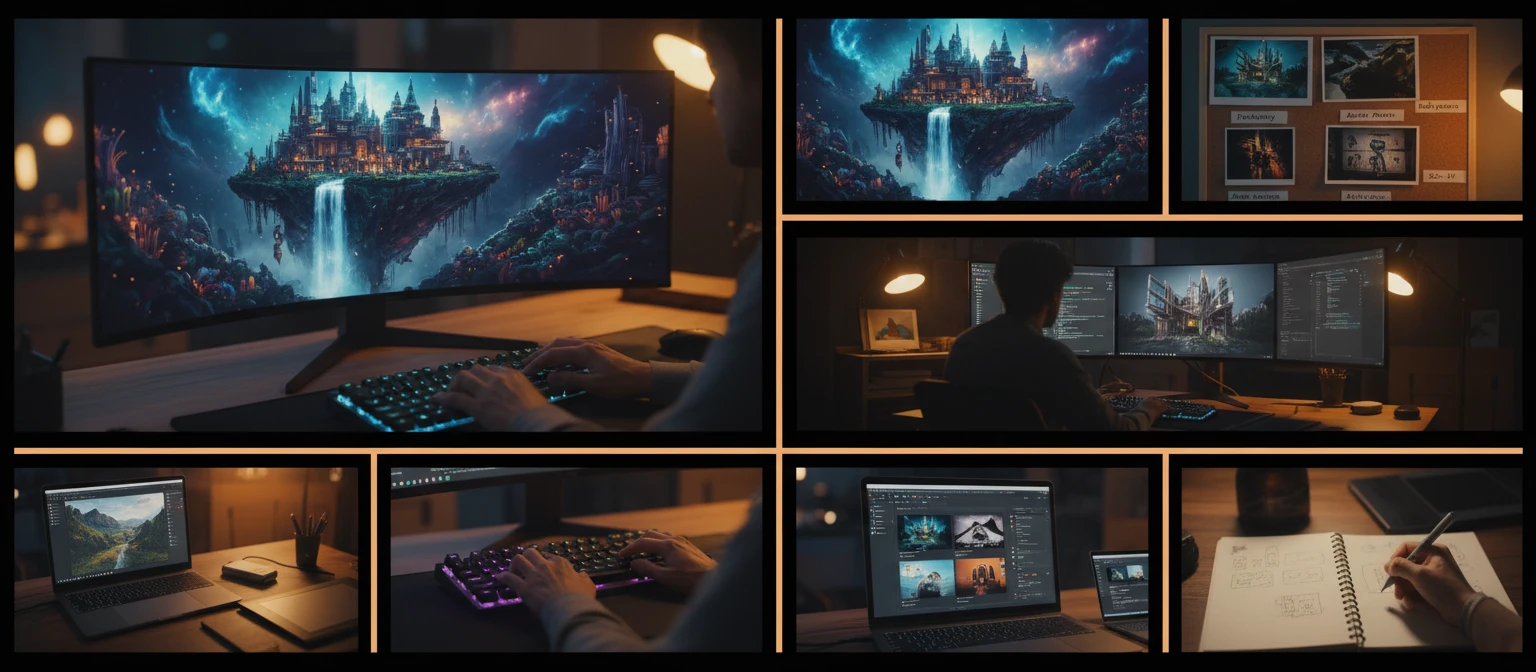
Upload a grid or collage of multiple images and the tool writes a single prompt describing the full layout, for example: "A grid of four images: the first image shows..., the second image shows...". Recreate the entire composition without cropping or uploading each panel separately.
Try with a Collage
Style Tags for Quick Reuse
Every result includes extracted style tags: key artistic keywords from the image that you can append to any other prompt to replicate the aesthetic. Build a personal reference library of visual styles from images that inspire you.
Extract Style TagsHow It Works
Upload Any Image
Upload a photo, AI artwork, illustration, screenshot, grid, or collage. Any image type works.
AI Reads the Visual
The AI analyzes the subject, art style, lighting, mood, color palette, and composition. For grids and collages it reads each panel in order.
Copy the Prompt
Get a complete, ready-to-use prompt and paste it into any AI image generator to recreate something similar.
Who Uses It
AI Artists and Creators
Upload reference images that capture the style or mood you want and get the prompt language behind them. Use it as a starting point for your own generations instead of guessing what words to use.
Designers and Brand Teams
Turn visual inspiration into a reusable prompt. Upload any reference image and get the descriptive language that captures its aesthetic so you can generate consistent visuals for campaigns and brand assets.
Content Marketers
Found an image with exactly the visual style you need for a campaign? Upload it and get a prompt to generate similar images without paying for stock photography or waiting on a designer.
Prompt Engineers
Use any image as a benchmark. Upload it, get the reconstructed prompt, then iterate from there. Faster than building prompts word by word from scratch.
Deep Dive
What Makes a Good Image-to-Prompt
A prompt that accurately reconstructs an image is not just a list of words pulled from the scene. It is a structured description that captures the right elements in the right order, at the right level of specificity. Understanding what the tool looks for helps you get better results.
Note: Prompts are reverse-engineered approximations. Results vary by AI generator and model version. Use the style tags to refine further.
Why Use It
One Prompt per Image
Get a complete, copy-ready prompt for any image. Single scene or multi-panel collage, the output is always one clean prompt you can paste directly.
Collages Described Correctly
Grid and collage layouts are detected automatically and described as a full layout prompt: "A grid of four images: the first shows..., the second shows..."
Style Tags Included
Every result includes extracted style keywords you can append to any other prompt to replicate the same visual aesthetic.
Works with Any Generator
Prompts are written in plain natural language and work with Midjourney, DALL-E, Stable Diffusion, Flux, Adobe Firefly, and more.
Frequently Asked Questions
What does this tool do?
You upload any image and the tool writes a prompt that can recreate a similar image in an AI image generator. For single images it produces one complete prompt. For grids and collages it writes a prompt that describes the full layout.
How does it handle grids and collages?
When the uploaded image contains multiple panels arranged in a grid or side-by-side layout, the tool describes the entire composition in one prompt: "A grid of four images: the first image shows..., the second image shows..." and so on, reading panels left to right and top to bottom.
Will the generated prompt recreate the image exactly?
No AI generator can reproduce an exact image from a text prompt. The prompt is designed to produce something visually similar in style, subject, mood, and composition. Results vary by generator and model version.
Which AI image generators can I use the prompt with?
The prompts are written in plain natural language and work with any modern AI image generator including Midjourney, DALL-E, ChatGPT image generation, Stable Diffusion, Flux, and Adobe Firefly.
What types of images work best?
Any image type works: photos, AI-generated artwork, illustrations, digital paintings, screenshots, grids, and collages. Images with a clear subject and recognizable visual style produce the most accurate and useful prompts.
What are the style tags?
Style tags are key artistic and visual style keywords extracted from the image. You can append them to any prompt to push a generation toward the same aesthetic without using the full prompt.
Get the Prompt Behind Any Image Instantly
Sign up free and get 100 credits instantly. Upload any image and get a ready-to-use prompt in seconds.
Disclaimer: This tool uses generative AI technology which may produce content that resembles copyrighted materials or that is inaccurate, incomplete, or out-of-date. It is provided for general information and educational purposes only and is not intended for illegal activities or to replace professional advice, diagnosis, or treatment. Users are solely responsible for how they use the generated content. If you plan to use AI-generated content commercially or publicly, we strongly recommend reviewing it for potential copyright issues and obtaining proper permissions where necessary. We accept no liability for copyright infringement or any other consequences resulting from the use of content generated by this tool.