Extract Any Table from Any Image into Clean, Structured Data
Upload any image with a table and get the data extracted as clean HTML, with headers, row structure, and merged cells preserved, and ambiguous cells flagged.
Extract Table Data
AI Image Table Extractor
Upload any image containing a table and get the data extracted into clean, copy-ready HTML tables. Works with spreadsheet screenshots, printed reports, handwritten tables, schedules, and any image with tabular data.
Upload Image with Table
Supports JPG, PNG, WEBP. Works with spreadsheet screenshots, scanned documents, printed tables, and handwritten grids.
or drag and drop an image here
Results
AI Image Table Extractor
AI Image Table Extractor
Upload a photo on the left and click analyse to see the results.
- Extracts all tables from a single image, including multiple tables
- Preserves column headers, row structure, and exact cell values
- Reconstructs merged cells with correct colspan and rowspan
- Ambiguous cells flagged with a question mark rather than silently guessed
- Works with spreadsheets, printed reports, handwritten tables, and schedules
- Data summary with source type, date, and key observations

Ambiguous Cells Flagged, Not Silently Guessed
The most common failure of table extraction tools is silent substitution: replacing a blurry or ambiguous cell value with a plausible guess without telling you. For a casual schedule or contact list this may be acceptable. For financial data, scientific results, medical records, or any table where a wrong number has consequences, silent guessing is a serious problem. This tool flags every cell it was not confident about with a question mark, and lists each flag in an Extraction Notes section with the table number, cell location, and the reason it was unclear. You always know exactly what was extracted with certainty and what needs human review.
Extract Table Data Now
Merged Cells and Complex Structures Handled
Real tables are rarely simple grids. They have merged header cells that span multiple columns, row spans that group related entries, sub-headers within the body, and nested structures. The extractor reconstructs these accurately using the correct HTML colspan and rowspan attributes so the data structure in the output matches the structure in the original image. This matters when the table is being pasted into a document, imported into a spreadsheet, or used as the basis for a database.
See Complex Tables Handled
Works With Every Table Source
Spreadsheet screenshots from Excel or Google Sheets, tables in scanned PDFs, Word document tables photographed or screenshotted, printed reports and financial statements, handwritten data grids and timetables, HTML table screenshots from websites, and comparison tables from product pages or presentations. The data summary section identifies the source type automatically, notes any visible date or period, and highlights key observations about the data such as whether totals are present, what currency or unit is used, and what the table covers.
Try Any Table SourceHow to Extract Table Data From an Image
Upload the Image
Upload any image containing a table: spreadsheet screenshot, scanned document, printed report, handwritten grid, or web page screenshot. Clear, well-cropped images produce the best results.
AI Extracts the Data
The AI identifies every table in the image, preserves headers and row structure, reconstructs merged cells, and flags any ambiguous values rather than guessing silently.
Copy and Use the Data
Receive each table as a clean HTML table with a data summary and extraction notes. Copy into a spreadsheet, document, or codebase. Review flagged cells against the original.
Who Uses It

Analysts and Researchers
Extract data from scanned reports, journal articles, financial statements, and historical documents into usable tables without manual transcription. The flagging system means you know exactly which values to verify before running analysis. For multi-table documents, each table is extracted and labelled separately with its own summary.

Operations and Admin Teams
Digitise data from printed schedules, rosters, price lists, inventory sheets, and meeting tables without retyping every cell. The extracted HTML table can be copied directly into a spreadsheet application or pasted into a document. For recurring tables in standardised reports, this eliminates the most tedious part of data entry.

Finance and Accounting Teams
Extract line-item data from invoice tables, financial statement tables, and budget comparison tables in scanned or photographed documents. The extraction notes identify any values that need verification before the data is entered into accounting software. The data summary flags currency, totals presence, and time period automatically.

Developers and Data Engineers
Extract structured data from screenshots, mockups, and documentation images into clean HTML tables that can be parsed, converted to JSON or CSV, or imported into a database. The consistent HTML table structure (with proper thead, tbody, th, td, colspan, and rowspan) is reliably parseable by downstream scripts without custom format handling.
Deep Dive
Getting the Best Extraction Results
AI table extraction is highly accurate for clear, well-lit images. A few simple techniques dramatically improve results for difficult source images.
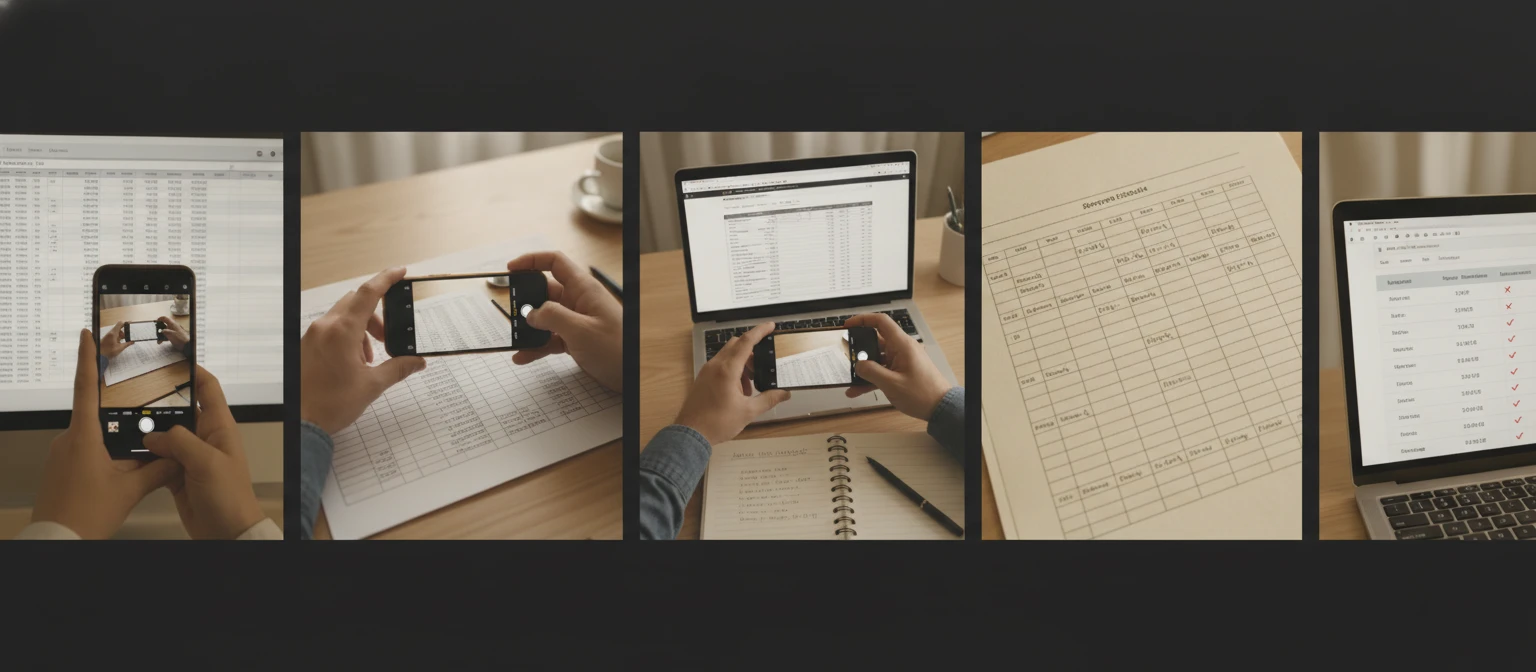
Note: Extraction accuracy is highest for clear, well-cropped images with readable text and visible cell borders. Very low resolution, heavily compressed, or severely distorted images may result in lower accuracy and more flagged cells.
Why Use It
Any Table Source
Spreadsheet screenshots, scanned reports, printed documents, handwritten grids, web page tables, and schedules. Every table type extracted.
Ambiguous Cells Flagged
Unclear values are marked with a question mark and listed in Extraction Notes with location and reason. No silent guessing.
Merged Cells Reconstructed
Column spans and row spans reconstructed with correct HTML colspan and rowspan attributes. Structure matches the original.
Data Summary Included
Source type, date or period, and key observations about the data automatically identified alongside the extracted table.
Frequently Asked Questions
What types of tables does it support?
All common table types: spreadsheet screenshots from Excel or Google Sheets, tables in scanned or photographed PDFs, Word document tables, printed reports and financial statements, handwritten data grids and timetables, HTML table screenshots from websites and web apps, and comparison tables from product pages or presentations. If there is a visible grid structure with rows and columns in the image, the extractor can work with it.
What happens when a cell value is unclear or ambiguous?
Cells that could not be read with confidence are marked with a question mark in the extracted table. Each flagged cell is also listed in the Extraction Notes section with its table number, row and column location, a description of what was visible, and the reason it was ambiguous (blurry text, low contrast, overlapping borders, partially visible content, etc.). This lets you find and verify the flagged values quickly against the original image.
Does it handle merged cells correctly?
Yes. Merged cells are reconstructed using the correct HTML colspan (for cells spanning multiple columns) and rowspan (for cells spanning multiple rows) attributes. This means the output table structure matches the original document structure rather than flattening everything into a simple grid.
Can it extract multiple tables from a single image?
Yes. All tables detected in the image are extracted and numbered separately. Each gets its own section with a descriptive title (based on the content), row and column count, table type assessment, and the full extracted data table. The stat grid at the top shows the total number of tables found.
How do I get the data into a spreadsheet?
The extracted data is rendered as a standard HTML table. To import it into a spreadsheet: select and copy the table from the output, then paste it into Excel, Google Sheets, or LibreOffice Calc. Most spreadsheet applications accept HTML table content pasted from the clipboard and automatically parse it into rows and columns. Alternatively, the HTML can be saved and parsed programmatically for import into a database.
What image formats are supported?
JPG, PNG, and WEBP are supported. For scanned documents saved as PDF, take a screenshot of the relevant page or export it as an image before uploading. Screenshots of digital tables (from a monitor or device screen) are accepted in any of these formats.
Extract Your First Table Instantly
Sign up free and get 100 credits instantly. Upload any image with a table and get the data extracted in seconds.
Disclaimer: This tool uses generative AI technology which may produce content that resembles copyrighted materials or that is inaccurate, incomplete, or out-of-date. It is provided for general information and educational purposes only and is not intended for illegal activities or to replace professional advice, diagnosis, or treatment. Users are solely responsible for how they use the generated content. If you plan to use AI-generated content commercially or publicly, we strongly recommend reviewing it for potential copyright issues and obtaining proper permissions where necessary. We accept no liability for copyright infringement or any other consequences resulting from the use of content generated by this tool.