Convert Any Handwritten Document to Typed Text
Upload any handwritten notes, letters, or documents and get an accurate, structured transcription. Illegible words are flagged rather than guessed.
Transcribe Handwriting
AI Handwriting to Text
Upload a photo of any handwritten document and get an accurate text transcription. Works for notes, letters, forms, journals, and any handwriting style. Includes illegibility flags and a document summary.
Upload Handwritten Image
Supports JPG, PNG, WEBP. For best results, use good lighting, hold the camera directly overhead, and ensure all text is in frame.
or drag and drop an image here
Results
AI Handwriting to Text
AI Handwriting to Text
Upload a photo on the left and click analyse to see the results.
- Full transcription preserving original structure and layout
- Illegible words flagged explicitly — no silent guessing
- Best-guess words marked with a question mark for review
- Works with cursive, print, mixed, and hurried handwriting
- Handles notes, letters, forms, journals, and any document type
- Document summary: type, date, author clues, and key topics

Illegible Words Flagged — Not Silently Guessed
The most common failure of handwriting transcription tools is silent guessing — replacing an illegible word with a plausible-sounding alternative without telling you. For casual notes this is acceptable. For a legal document, a medical record, a historical letter, or an important form, it is a serious problem. This tool flags every word that could not be read with confidence — marking genuinely illegible words with [illegible] and best-guess words with [word?] so you always know exactly what was read and what was inferred. The Transcription Notes section explains each flag: where it is, what was visible, and what made it unreadable.
Transcribe Handwriting Now
Preserves the Original Structure
A handwritten document is not just text — it has structure. Paragraphs, lists, headings written in larger letters, crossed-out words, underlined phrases, and numbered items. Most transcription tools return a plain block of text that loses all of this. The transcription preserves line breaks, paragraph breaks, list formatting, and emphasis (words written larger or more prominently become bold in the output). For forms with labelled fields, the output uses a label-and-answer format that mirrors the original layout.
See the Structure
Works with Any Handwriting Style and Document Type
Neat block letters, connected cursive, mixed print-and-cursive, hurried doctor's handwriting, faded pencil, old ink on aged paper, forms filled in by hand, diary entries, technical sketches with labels — the AI handles all of them. The document summary identifies what type of document it is, extracts any visible date, notes any name or signature visible, and identifies the key topics covered. This context is useful for archiving, research, and filing.
Try Any HandwritingHow to Transcribe Handwriting
Photograph the Handwriting
Take a photo of the handwritten document. Lay it flat, hold the camera directly overhead, use good lighting, and ensure all text is in frame. For long documents, photograph in sections.
Upload and Transcribe
Upload the photo. The AI reads the handwriting, preserves the structure, and flags any words it could not read with confidence rather than guessing silently.
Get the Transcription
Receive the full transcription with original structure preserved, illegibility flags for uncertain words, transcription notes explaining each flag, and a document summary. Copy, edit, and use the text.
Who Uses It

Students and Note-Takers
Digitize handwritten lecture notes, class notes, and study materials. Transcribe them once and then search, copy, share, and edit the text — or paste into a note-taking app. The preserved structure means headings and lists from the original notes appear in the correct format in the output.

Business and Administrative Teams
Transcribe handwritten forms, signed agreements, meeting notes taken on paper, and hand-annotated documents. For forms, the tool produces a labelled field-and-answer layout that maps directly to database fields or digital form entries. For meeting notes, it produces structured text with the original bullet points and numbered action items preserved.

Researchers and Archivists
Transcribe historical documents, personal letters, diaries, field notes, and archival materials. The illegibility flagging is particularly valuable for historical documents where accuracy is paramount — you always know which words the AI was uncertain about and need human verification. The document summary helps with cataloguing and filing.

Personal and Family Archive
Digitize old family letters, diaries, recipes written by hand, personal journals, and sentimental handwritten documents. Turn physical handwriting that could be lost to time into searchable, shareable, preservable text. The document summary extracts dates and names where visible — useful for family history research.
Deep Dive
Getting the Best Transcription Results
AI handwriting transcription is highly accurate for clear photos of legible handwriting. A few simple photography techniques dramatically improve results for difficult handwriting.
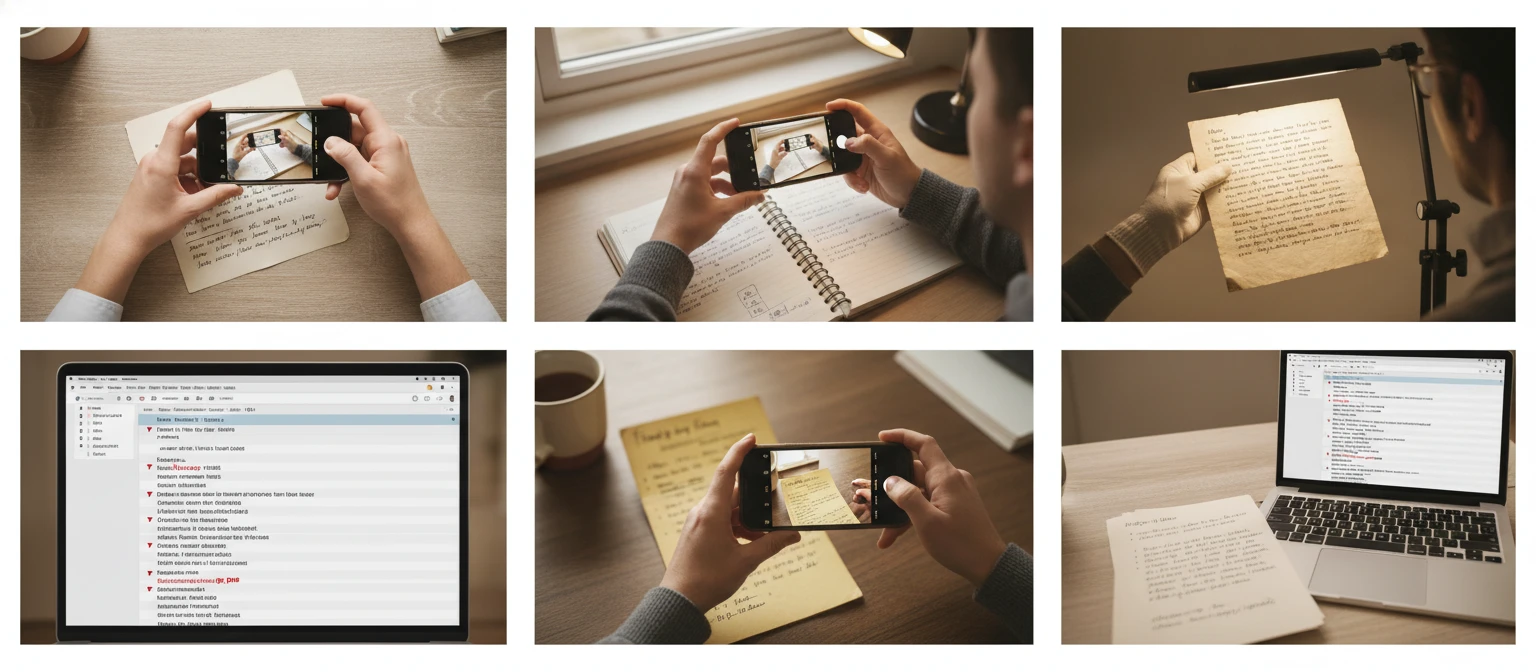
Note: AI handwriting transcription is highly accurate for clear photos of legible handwriting but cannot perfectly transcribe severely degraded, extremely stylised, or heavily smudged documents. Always verify the transcription against the original for documents where accuracy is critical.
Why Use It
Any Handwriting Style
Cursive, print, mixed, hurried, faded, and stylised — plus any document type: notes, letters, forms, journals, and historical documents.
Explicit Illegibility Flags
Illegible words are marked [illegible] and uncertain words are marked [word?] — never silently replaced with a plausible guess.
Structure Preserved
Paragraphs, line breaks, lists, headings, and form fields are preserved in the output — not flattened into a block of unstructured text.
Document Summary
Document type, visible date, author clues, and key topics — useful for filing, archiving, and research cataloguing.
Frequently Asked Questions
What types of handwriting does it support?
All common handwriting styles: print (block letters), cursive (joined-up writing), mixed print-and-cursive, and handwriting in any language that uses a Latin, Cyrillic, Arabic, or other script. It handles neat handwriting and difficult handwriting — including hurried notes, stylised cursive, small dense writing, and faded pencil or ink.
What happens when a word is illegible?
Genuinely illegible words are marked [illegible] in the transcription. Words that could be read with a reasonable guess but are not certain are marked [word?] with a question mark. The Transcription Notes section explains each flag: its location in the document, what was visible, and why it could not be read clearly. You always know exactly what was transcribed with confidence and what was flagged.
Does it preserve the original layout and formatting?
Yes. The transcription preserves line breaks, paragraph breaks, numbered and bulleted lists, and headings (words written larger or more prominently appear as bold in the output). For forms, labelled fields and handwritten answers are formatted as label-and-answer pairs. The layout is as close as possible to the original document structure.
Can it handle documents in languages other than English?
Yes. The AI detects the language automatically and transcribes in the original language. For documents that mix languages (e.g. English notes with a French phrase), it transcribes each section in its original language and notes the language switch in the document summary.
How long can the document be?
The tool works best with one page at a time. For longer documents, photograph and transcribe each page separately, then combine the results. For very long single pages, photograph in two overlapping sections to ensure no line is cut off between sections.
Transcribe Your First Handwritten Document Instantly
Sign up free and get 100 credits instantly. Upload a photo of any handwritten document and get an accurate transcription in seconds.
Disclaimer: This tool uses generative AI technology which may produce content that resembles copyrighted materials or that is inaccurate, incomplete, or out-of-date. It is provided for general information and educational purposes only and is not intended for illegal activities or to replace professional advice, diagnosis, or treatment. Users are solely responsible for how they use the generated content. If you plan to use AI-generated content commercially or publicly, we strongly recommend reviewing it for potential copyright issues and obtaining proper permissions where necessary. We accept no liability for copyright infringement or any other consequences resulting from the use of content generated by this tool.