Solve Any Math Problem with a Complete Step-by-Step Solution
Type any equation or photograph a worksheet and get every step shown, with the method explained and the answer verified.
Solve a Problem
AI Math Solver
Type any math problem or photograph it. Get a complete step-by-step solution with every calculation shown, the key method explained, answer verification, and practice problems.
Results
AI Math Solver
AI Math Solver
Type your problem or upload a photo on the left and click the button to get help.
- Type your problem or photograph a worksheet, textbook, or handwritten equation
- Every arithmetic step shown explicitly with the operation and result
- Works for arithmetic, algebra, geometry, trigonometry, calculus, and statistics
- Key method named and explained for each problem type
- Answer verified by substitution or alternative check
- Two practice problems to reinforce the method
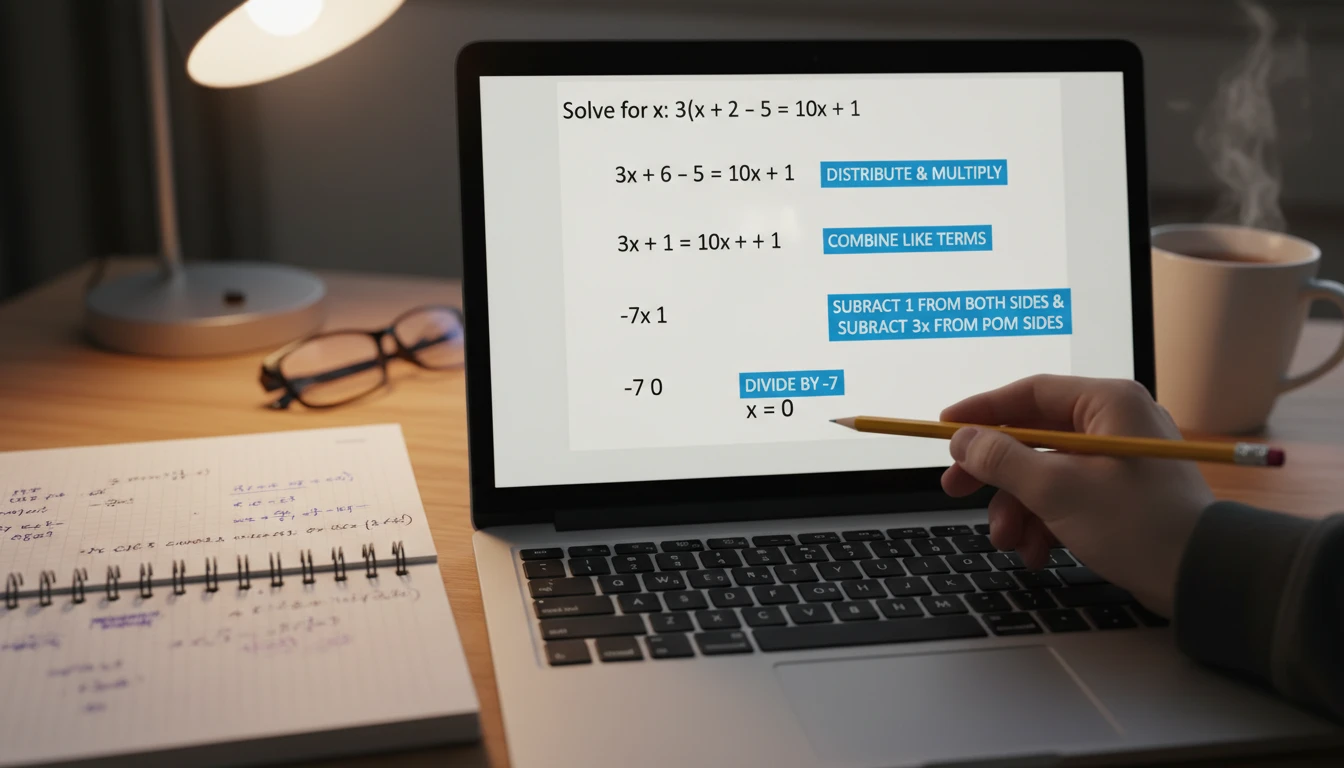
Every Step Explicit, Nothing Skipped
The most common failure in math solution tools is skipping steps. A solution that jumps from "2x + 4 = 12" directly to "x = 4" teaches nothing. This tool shows every operation: "Subtract 4 from both sides: 2x + 4 - 4 = 12 - 4, therefore 2x = 8. Divide both sides by 2: 2x/2 = 8/2, therefore x = 4." Every arithmetic operation is written out. Every algebraic transformation is shown. Every intermediate value is visible. You can follow the solution at any point and verify each calculation independently.
Solve a Problem Now
Photograph Any Math Problem
Switch to image mode to photograph handwritten problems, printed worksheets, or textbook pages. The AI reads the mathematical content in the image, transcribes it, and solves it. It works with equations written on paper, problems in math textbooks, exam questions, and complex diagrams. If the image contains multiple problems, it identifies and solves the main one. For best results, photograph straight-on in good light with the full problem visible. The optional context field lets you specify which part of a multi-problem page you need help with.
Try Image Mode
Answer Verified Every Time
After showing the step-by-step solution, the tool verifies the answer. For equations, it substitutes the solution back into the original equation and shows the check. For geometry, it shows a sanity check. For calculus, it may differentiate an integral result to confirm. This verification step shows you exactly how to check your own work on a test, and it catches any errors in the solution itself. A green "Verified" indicator confirms the answer is correct.
See the VerificationHow to Use the AI Math Solver
Enter Your Math Problem
Type the problem directly using standard notation (x^2 for squared, sqrt(x) for square root, etc.) or switch to image mode to photograph your worksheet or textbook. Select the level and topic for more accurate explanations.
Get Every Step
The AI identifies the problem type, restates it clearly, then walks through the complete solution showing every operation and its result. The key method or theorem is named and explained.
Verify and Practice
The answer is verified by substitution or an alternative check. Two practice problems of the same type let you apply the method immediately while it is fresh.
Who Uses It

Students Stuck on a Problem
You understand the chapter but one specific problem is not working. Type the equation or photograph your worksheet, select the level and topic, and get a complete solution showing every step. The Key Method section explains which rule or theorem applies and why, so you can apply the same approach to the next problem yourself.

Checking Work Before Submission
You have solved the problem but want to confirm you did it correctly before submitting. Enter your problem, compare the AI solution against your work step by step, and identify exactly where your approach diverged if you got a different answer. The verification section gives you a second check method.

Exam and Test Preparation
Work through problem types that appear on your exam. For each type, submit an example, study the solution method and Key Method section, then immediately work through the two practice problems without looking at the solution. If you solve them correctly, you have internalized the method. If not, re-read the Key Method section and try again.

Teachers and Tutors Creating Examples
Generate worked examples for a topic you are teaching. Enter a problem representative of the concept, get the complete step-by-step solution with method explanation, and use it as a demonstration for students. The practice problems section gives you two ready-made problems to assign.
Deep Dive
How to Write Math Problems for Best Results
A few simple formatting choices make solutions more accurate and easier to follow.

Note: Always verify AI solutions independently, especially for exam or test submissions. The tool is most effective as a learning aid when you compare the solution against your own work rather than copying it directly.
Why Use It
Every Step Shown
No skipped operations. Every arithmetic calculation, algebraic transformation, and intermediate result is written out explicitly so you can follow and verify each step.
Type or Photograph
Type equations with standard notation or switch to image mode to photograph handwritten problems, worksheets, and textbook pages.
Answer Verified
Every solution includes a verification step — substituting the answer back in or checking with an alternative method, confirming the answer is correct.
All Levels and Topics
Elementary arithmetic through advanced graduate mathematics. Algebra, geometry, trigonometry, calculus, statistics, linear algebra, and differential equations.
Frequently Asked Questions
What types of math problems can it solve?
The solver handles arithmetic, algebra (linear, quadratic, polynomial, rational), geometry (area, perimeter, volume, angles), trigonometry (equations, identities, triangle problems), calculus (derivatives, integrals, limits), statistics (mean, standard deviation, probability), linear algebra (matrices, systems of equations), and differential equations. Select the topic and level from the dropdowns for the most accurate explanation style.
Can I photograph a handwritten or printed problem?
Yes. Switch to the "Upload / Capture" tab and either upload an image or use your camera directly. The AI reads the mathematical content in the image, transcribes it, and solves it. For best results, photograph straight-on in good lighting with the entire problem visible in the frame. Add extra context in the optional field below the image if the photo contains multiple problems.
How do I write math notation when typing?
Use standard plain-text notation: x^2 for squared, x^3 for cubed, sqrt(x) for square root, (a)/(b) for fractions. For calculus: d/dx for derivative, integral(f(x)dx) for integrals. For trig: sin(x), cos(x), tan(x). Write out Greek letters: pi, theta, sigma, alpha. State what you want: "Solve x^2 - 5x + 6 = 0 for x" rather than just "x^2 - 5x + 6."
Does it show all the steps or just the final answer?
It shows all the steps. Every arithmetic operation is written with the calculation and its result. No step is skipped. The solution also includes the key method or theorem used, and a verification section that substitutes the answer back into the original problem or checks it with an alternative method.
Can I use this to check work I have already done?
Yes. Enter the problem, get the complete step-by-step solution, and compare it against your own work. The step-by-step format makes it easy to identify exactly where your approach diverged from the correct method, which step produced a different value, or whether you used the right theorem or formula. This is more useful than just checking the final answer.
Solve Your First Problem Today
Sign up free and get 100 credits instantly. Type your equation or photograph your worksheet and get a complete step-by-step solution.
Disclaimer: This tool uses generative AI technology which may produce content that resembles copyrighted materials or that is inaccurate, incomplete, or out-of-date. It is provided for general information and educational purposes only and is not intended for illegal activities or to replace professional advice, diagnosis, or treatment. Users are solely responsible for how they use the generated content. If you plan to use AI-generated content commercially or publicly, we strongly recommend reviewing it for potential copyright issues and obtaining proper permissions where necessary. We accept no liability for copyright infringement or any other consequences resulting from the use of content generated by this tool.